节点与连线
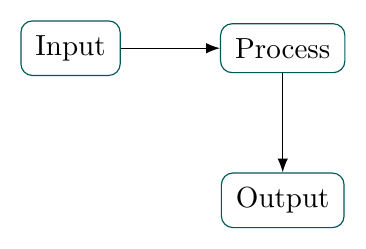
用相对定位摆出三步流程,再从边缘锚点连线。
运行与理解
- \node 的圆括号保存可引用的名称,花括号包含展示的文字。positioning 库让 right=of 和 below=of 依据已有节点定位。
- 方形节点的 .east、.west、.south 与 .north 指向指定边缘。箭头从这些锚点开始和结束,可以与矩形边界齐平。
源码
\documentclass[tikz,border=7pt]{standalone}
\usetikzlibrary{positioning,arrows.meta}
\begin{document}
\begin{tikzpicture}[node distance=12mm,box/.style={draw=teal!70!black,rounded corners,inner sep=5pt}]
  \node[box] (input) {Input};
  \node[box,right=of input] (process) {Process};
  \node[box,below=of process] (output) {Output};
  \draw[-{Latex}] (input.east) -- (process.west);
  \draw[-{Latex}] (process.south) -- (output.north);
\end{tikzpicture}
\end{document}
练习
在定位参数中把 node distance 改为 18mm,观察垂直与水平边距。随后试着交换输出节点的位置和相应锚点。